
 By Admin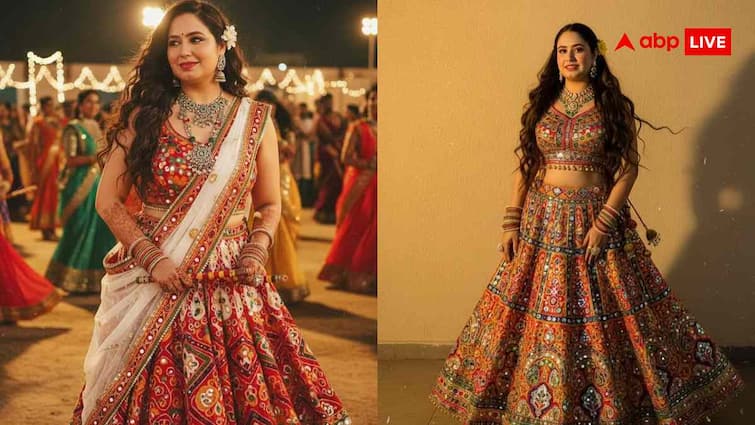
On hearing the name of Navratri, the tune of drum, colorful clothes, shimmering lights and garba starts echoing in the mind. Everyone wants him to look different and stylish in this festival. Especially in Dandiya Knight, girls ‘lehenga-choli and boys’ hard kurta-pajamas dress, everyone’s eyes draw towards them. But when it comes to capturing these beautiful moments in camera, many times the photo does not come as expected. Sometimes the lighting is spoiled, sometimes the background does not look good and sometimes your best poses also seem to be faded. But now there is nothing to worry about, because now Google Gemini AI has come, which can turn your thinking into a very real and great photo. So let’s know that in these easy ways, AI will make a super look of Dandiya.
What is Google Gemini AI and how will you help you?
Google Gemini AI is a smart photo-generation tool that only reads your words ie prompts and makes photos in your desired look, background and style. You just have to tell how you want to look, what is wearing, which color is needed, which poses, and how should the background be. After this, in a few seconds, Gemini AI will make a very perfect and viral photo of your Dandiya Night.
Make Dandiya’s super stylish look with these easy prompts
1. Make Selfie Navratri Poster: Transform my selfie into a Navratri Poster Vibrant Chaniya Choli, Festive Background, Retro Film Grain, and Bold Typography.
2. Classic Dandiya Look: Create a stylized image of me in a black and red lehenga with heavy silver jewelry, set against a temple backdrop with flickering diyas.
3. Studio Style Portrait: Create a festive Studio Portrait of Me in a Royal Purple Ghagra Choli with Zari Embroide, Holding Dandiya Sticks, with a Soft Spotlight Background.
4. Group Garba Scene: Design a group garba Scene with me and friends in coordinated outfits, dancing in sync under a canopy of Fairy lights and festive arches.
5. Traditional Troll Look: Create a cinematic Navratri Scene with Me Mid-Twirl in a Flowing Lehenga, Surrounded by Rangoli Patterns and Glowing Lanterns.
6. Couples Garba Look: I’m in a teal and gold channel, my partner in a matching kurta, bot dancing under a canopy of lights.
7. For some different styles: Design a navratri look featuring me in a pastel lehenga with floral embroidery, surrounded by marigold garlands and diya lights.
How to make your AI Dandiya Photo Step by Step Guide?
1. First think how you want dress, color, background and style.
2. After this, then write a small prompt again. Such as Bright Colorful Dandiya Night, Spinning Sticks, Vibrant Traditional Attire, Joyful Dance Moves.
3. Enter this prompt in Google Gemini AI.
4. Wait a few seconds
5. Now your perfect dandiya photo will be ready for Instagram.
Also read: Are your everyday habits quietly reducing the mind’s strength? Experts told the truth