
 By Admin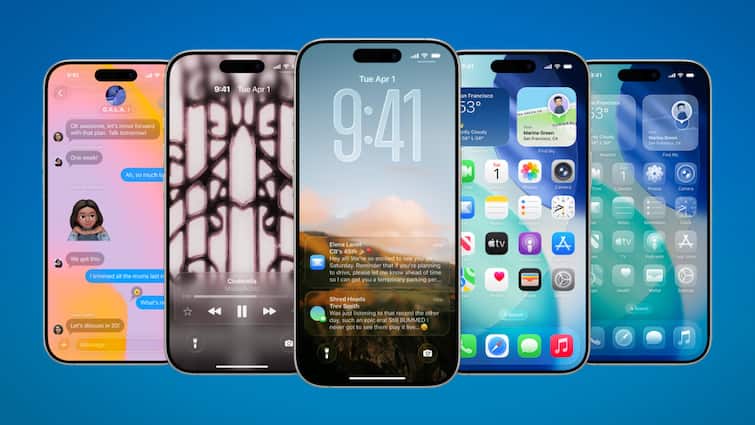
The month of September has been special for Apple’s fond people. While the company has launched the iPhone 17 series this month, it has also rolled out its biggest software update iOS 26 ever. With this, the interface of the iPhone has got many small, but very work features along with the new look. These include several features including notifications from customizing the ringtone to the camera lens dirty. Come, let’s take a look at them.
Customize ringtone
Now the ringtone can be customized on the iPhone. If you liked a ringtone, then press on that file. After this, tap the share button and select the option of use age ringtone. Keep in mind that this file should be less than 30 seconds.
Battery charge time estimate
After the software update, the iPhone now tells how much time it will take to charge the battery up to 80 and 100 percent. Its information keeps coming on the time widget. It can also be seen by going into the setting> battery. With its help, it has become easy to find out how long the phone needs to be kept on charging.
3D Spatial Scenes
The option of Spatial Scenes has been found in iOS 26, which gives the photo a 3D -like view. For this, open any photo in photos and enable the spatial togle seen in the top right corner. After this, the depth is seen behind the photo on shaking the phone.
Easy to edit pdf
So far, only the Preview app found in MacBook has now been made available in iPhone. It opens any PDF and allows it to edit it. Now the need for the third-party app for this work is over.
Camera Lens Notification
If the camera app feels that the lens is not completely clear, then it notification to the user. This is not a big change, but it can help a lot in preserving many important moments. This feature is available only for the device after the iPhone 15.
Also read-
Android users have fun, this amazing feature on Chrome, now web page will become podcast